What's New in Pitch N Hire
This release makes recruiting on Pitch N Hire faster and more automated — cheaper seats for hiring managers, a one-by-one review mode for applications, a much deeper assessment engine with proctoring and shareable reports, an AI interviewer that screens candidates for you, and safety nets like a one-click revert on imports.
Each item below links to the full documentation for that feature.
Hiring Manager seats
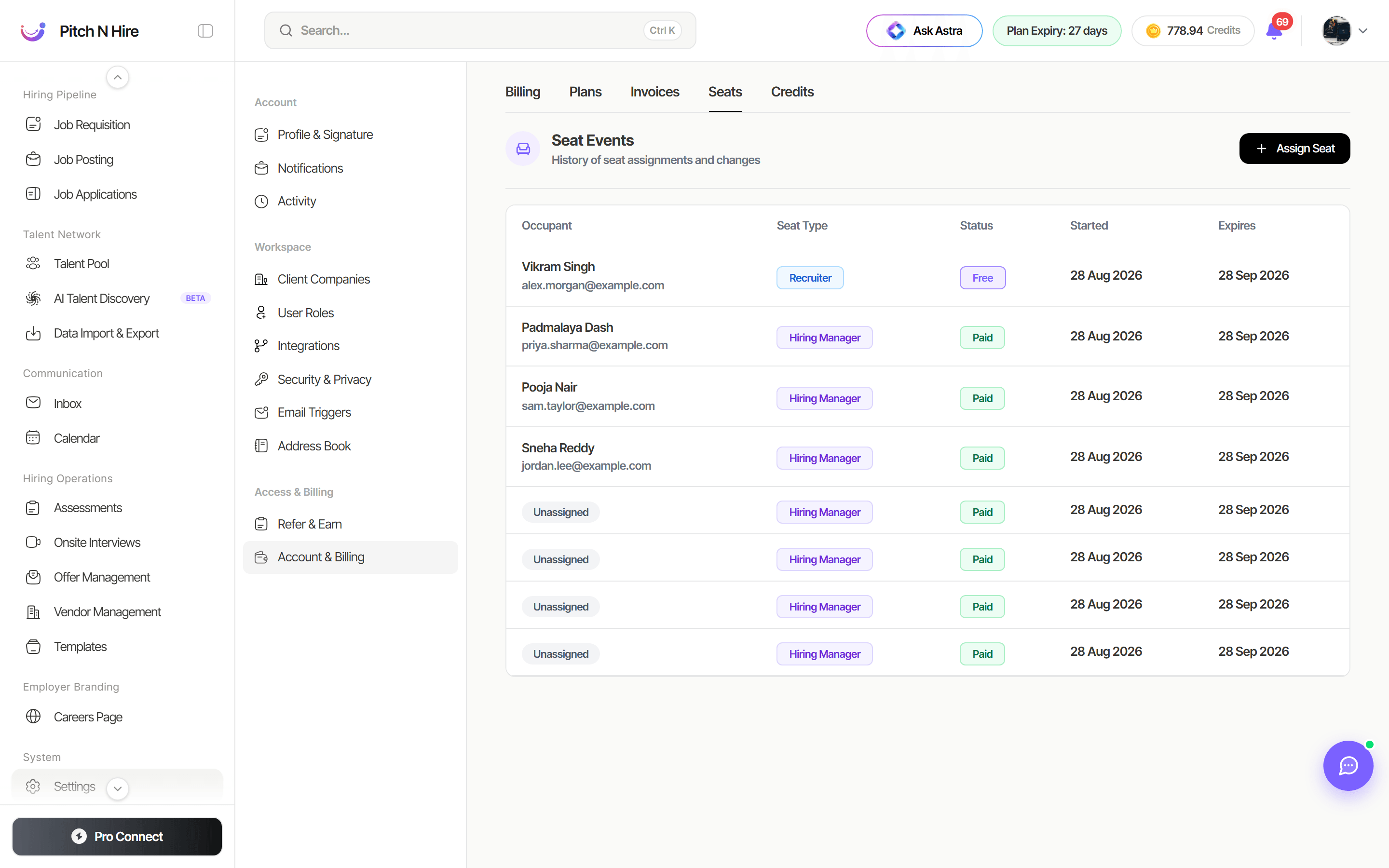
Hiring Manager seats are now available , so you can bring line managers into hiring without paying for a full recruiter seat. A hiring manager gets permission-based access to Jobs, Requisitions and Applications only.
Seats are bought and assigned per type: when you click Assign Seat under Settings → Account & Billing → Seats, you choose Recruiter or Hiring Manager and the seat is drawn from that pool. The Seat Events table shows each occupant’s Seat Type alongside their status and dates.
Read more: User Roles, seats & permissions
Panellist Notes
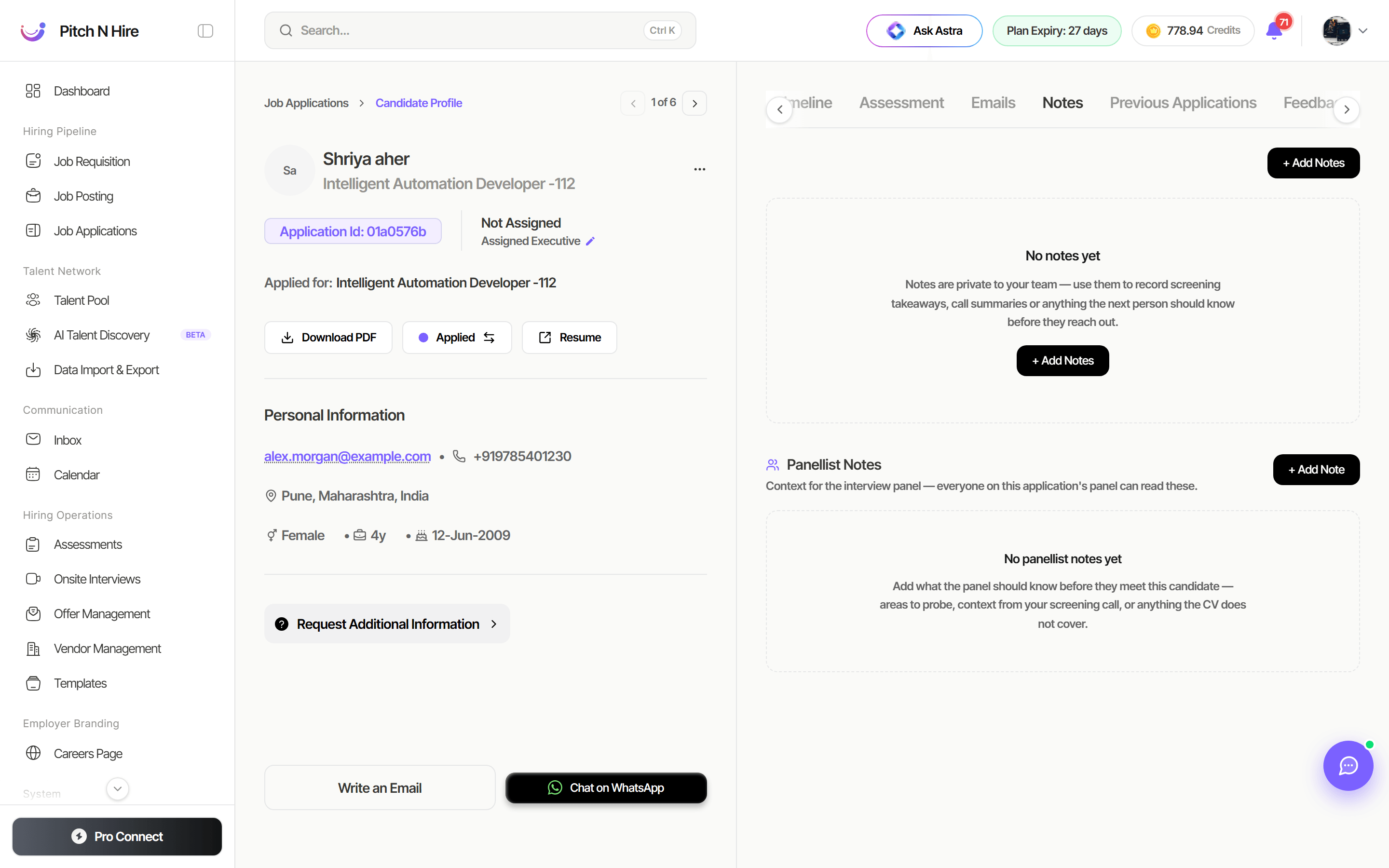
Recruiters can now leave notes written specifically for the interview panel on a candidate’s application. They sit on the candidate’s Notes tab, below your team’s private notes, marked “Context for the interview panel — everyone on this application’s panel can read these.” Panellists read them from their own dashboard before the interview.
Panellist notes are separate from your team-private notes, so nothing internal leaks to an external interviewer.
Read more: Panellist notes on an application
Rapid View for applications
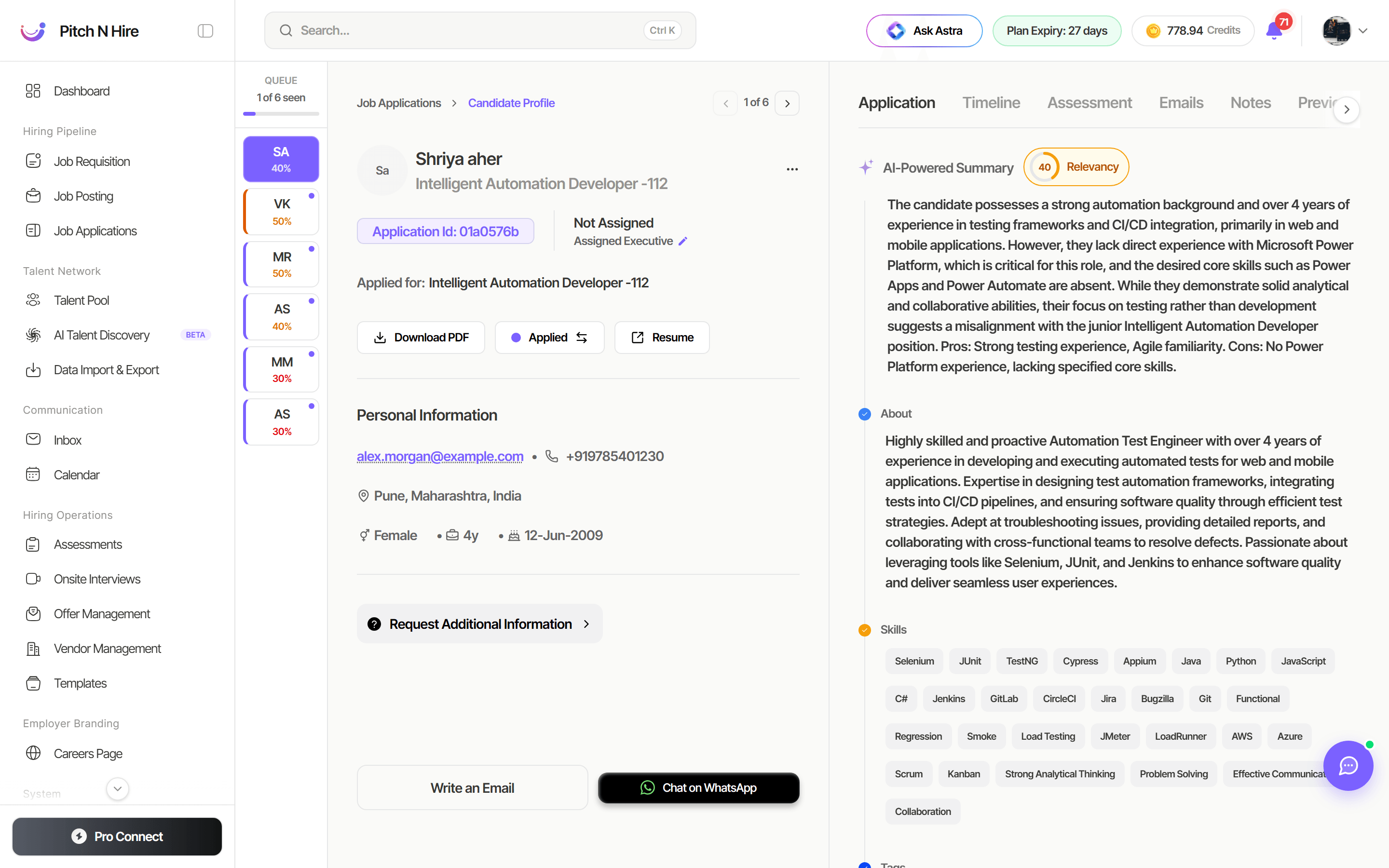
Rapid View is a new one-candidate-at-a-time review mode for Job Applications. It opens the first applicant in a focused tab with a queue rail down the left showing every other applicant, their AI relevancy score and which ones you have already seen — so you can screen a whole pipeline in one sitting without going back to the list.
Read more: Rapid View
Advanced assessments
The assessment engine has been extended well beyond MCQs:
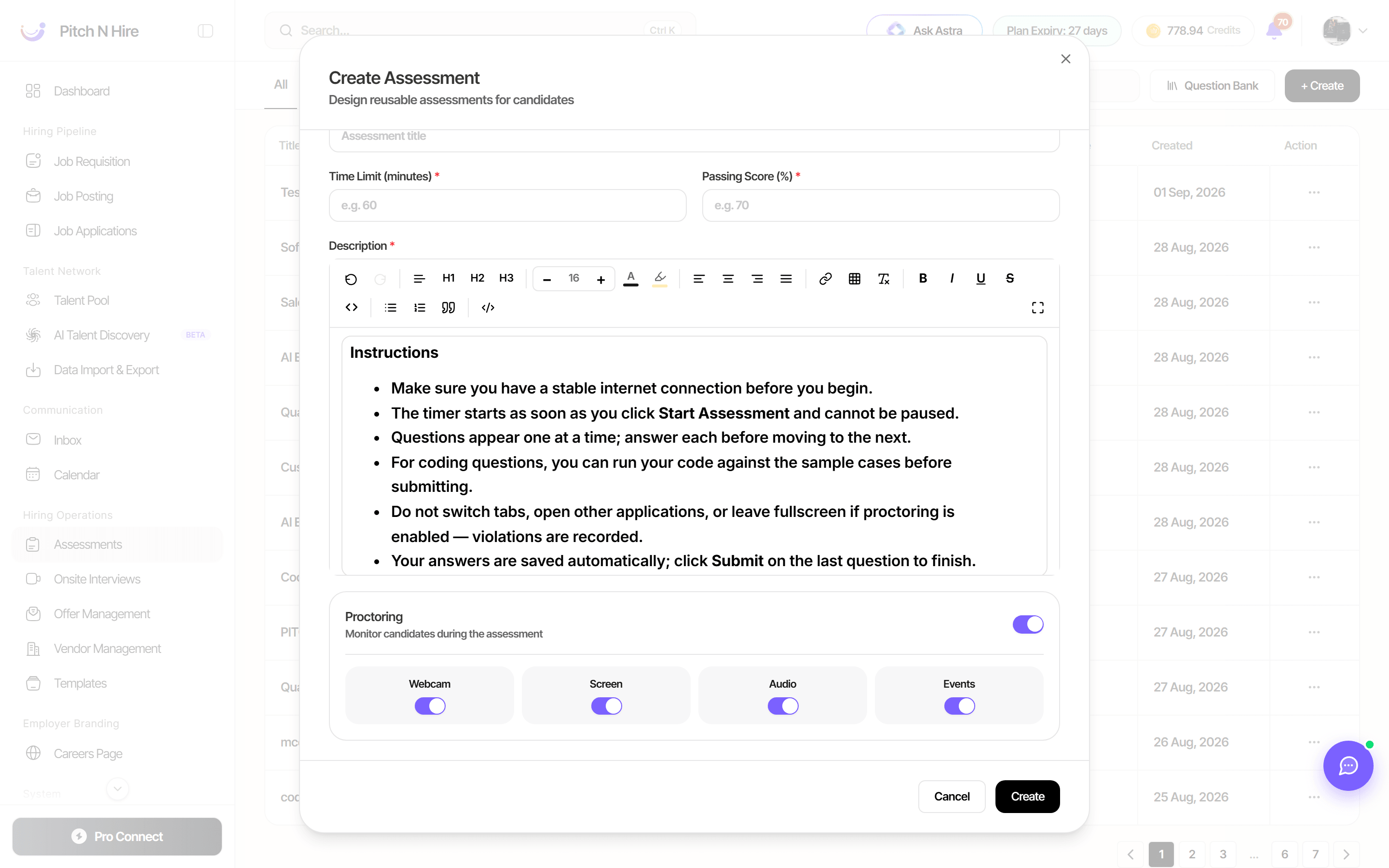
- MCQ, Coding and Q&A questions in the same test, plus file, image and project/GitHub-link questions.
- Detailed proctoring — webcam, screen, audio and tab/focus event monitoring, each toggled independently.
- AI integrity reports — a proctoring review with a risk level, findings tagged by severity, and timestamped evidence frames.
- Comprehensive reports — a branded PDF per submission, with proctoring snapshots and AI integrity analysis.
- Report sharing with anyone — mint a link that works for 7 days without login, with candidate personal details shown, masked, or hidden.
Read more: Assessments — proctoring, reports & sharing
Question Bank
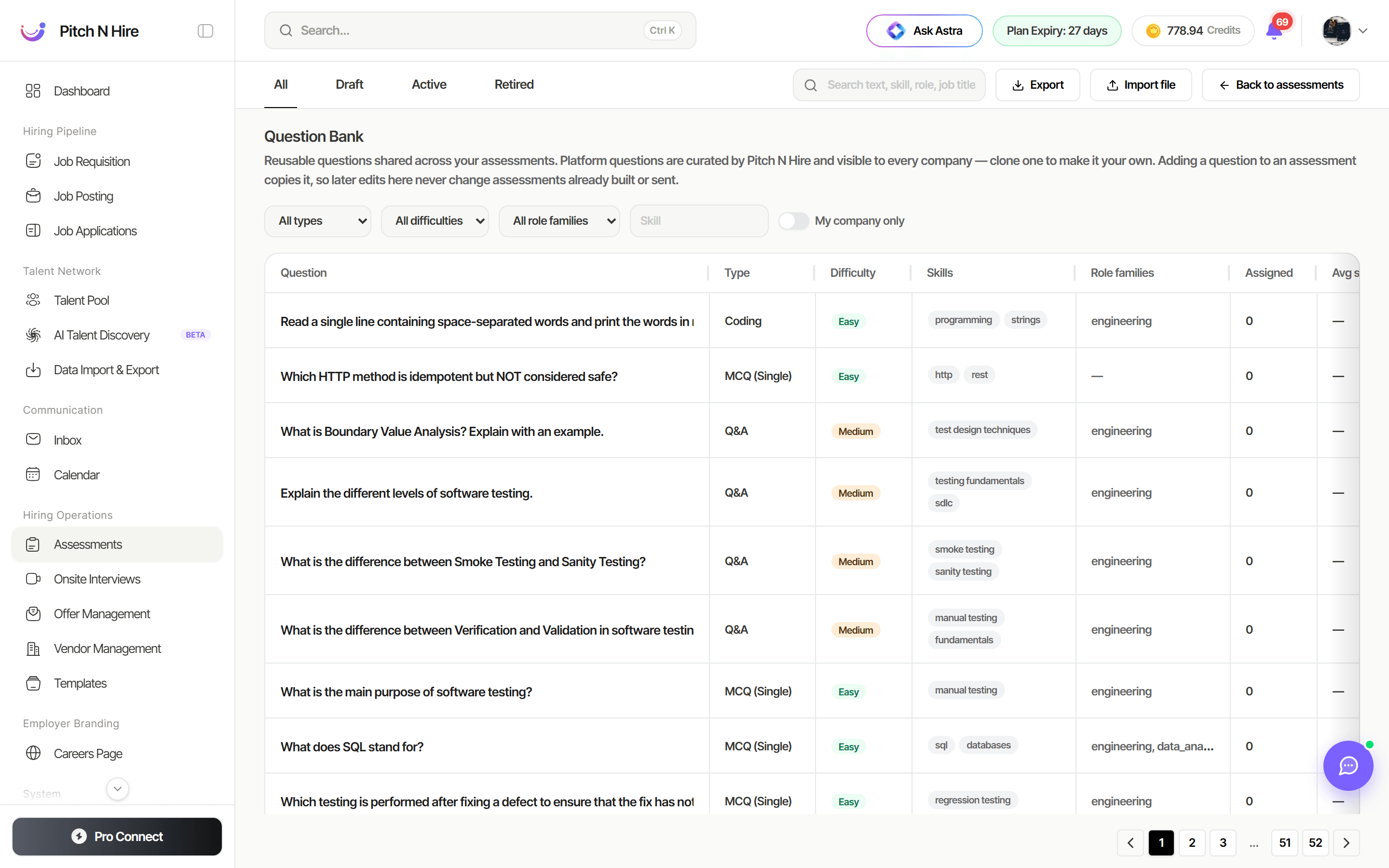
A shared Question Bank now sits alongside the assessment builder. Save any question you write into the bank, then reuse it: while building an assessment, click Add from bank, filter by type, difficulty, role family or skill, and pull in a whole set at once. Pitch N Hire also suggests bank questions based on the job the assessment is linked to.
Read more: Question Bank
AI Screening Interview (Beta)
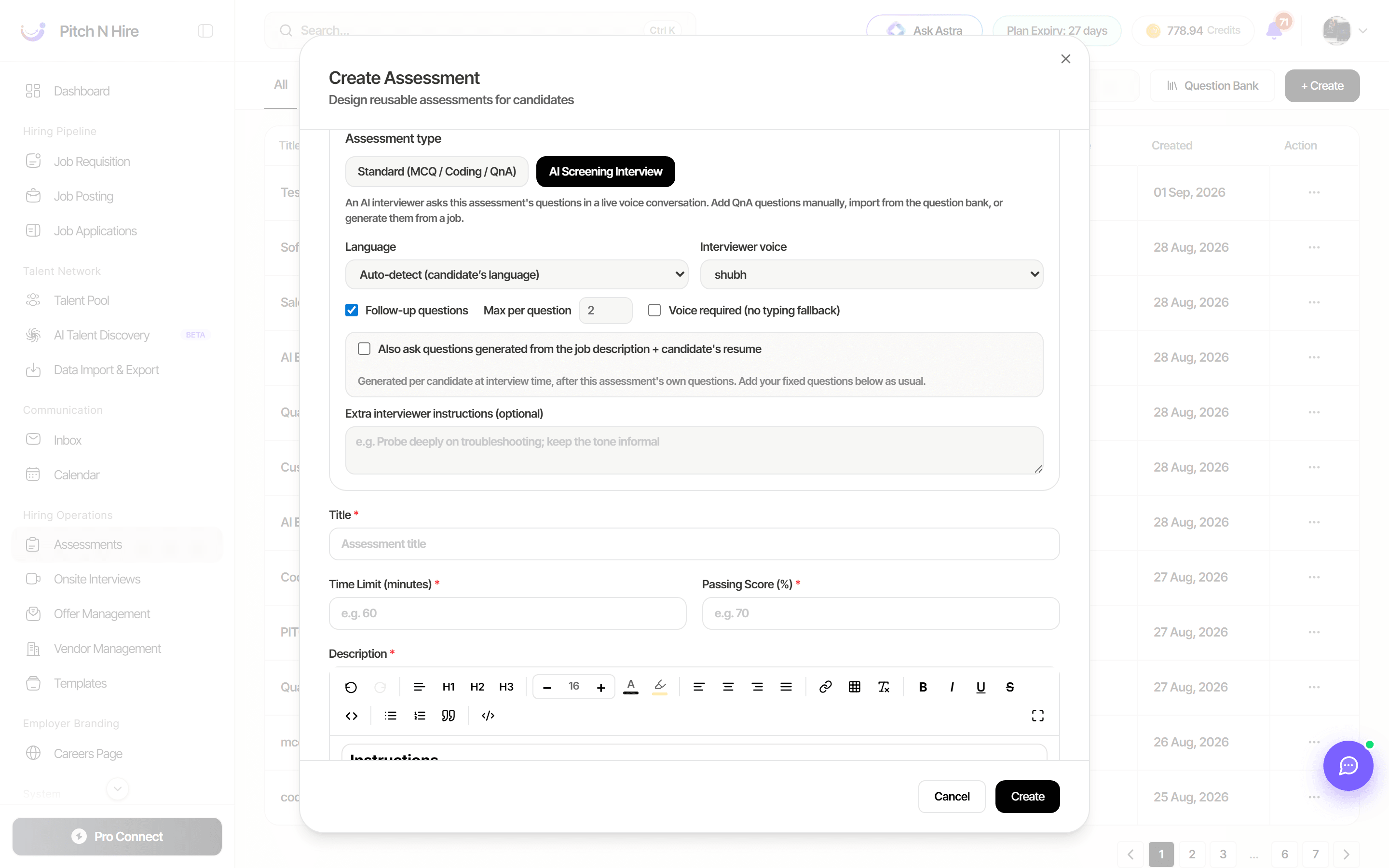
A new assessment type runs a voice interview with the candidate automatically. The AI interviewer asks the questions on the assessment, can add extra ones generated from the job description and the candidate’s resume, asks follow-ups, and returns a graded transcript with strengths, concerns and a recommendation.
It speaks English, Hindi, Bengali, Tamil, Telugu, Marathi, Gujarati, Kannada, Malayalam and Punjabi (or auto-detects the candidate’s language), and you can try the interview yourself before sending it out.
Read more: AI Screening Interview
CSV & resume parser — Revert
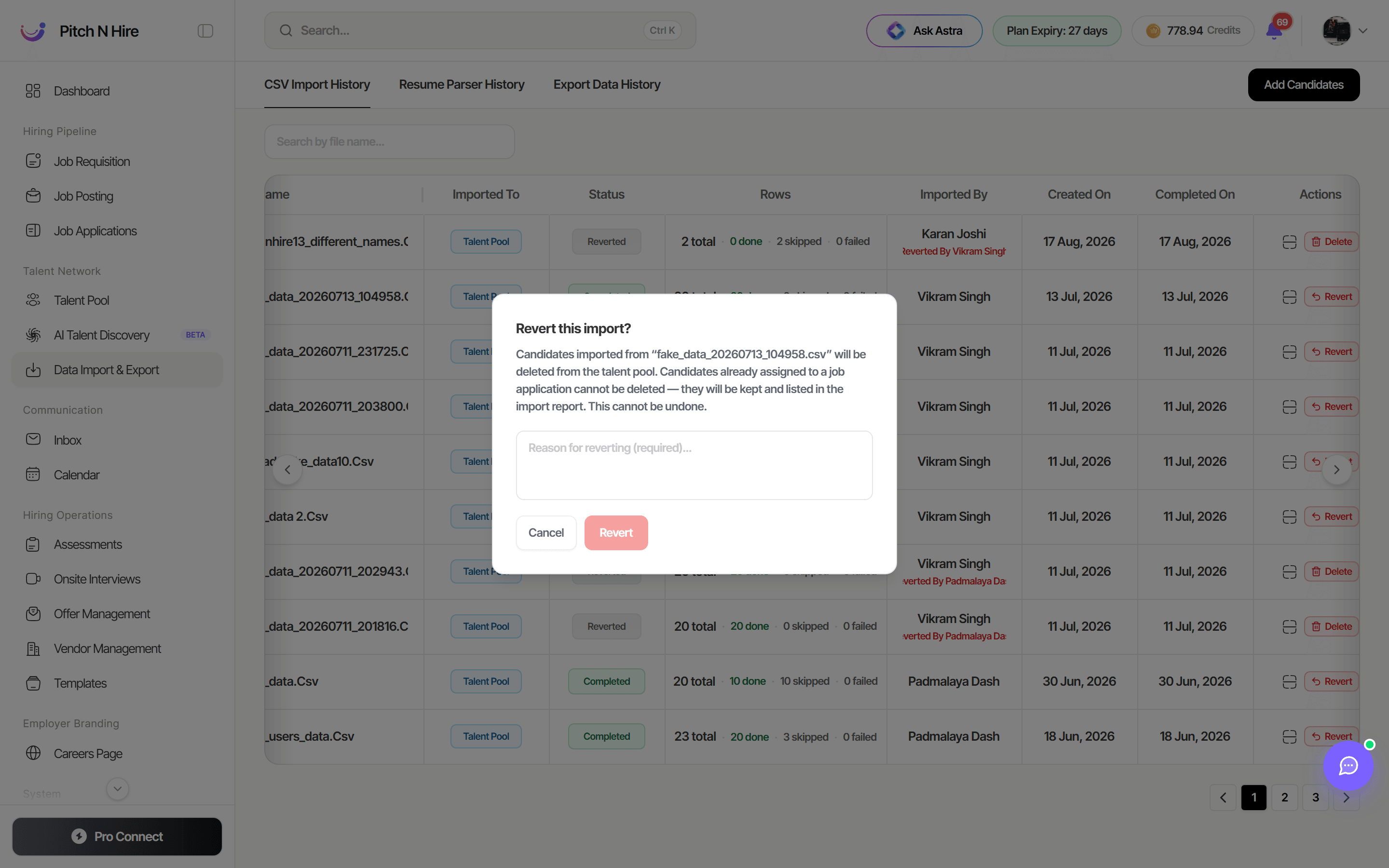
Imports now have an undo. If an extraction goes wrong or the wrong file was uploaded, click Revert on that import in Data Import & Export and the candidates it created are removed from your talent pool — no manual clean-up.
Candidates who have since been attached to a job application are kept (and listed in the import report), so a revert can never delete someone you are actively hiring.
Read more: Revert an import
Vendor management improvements
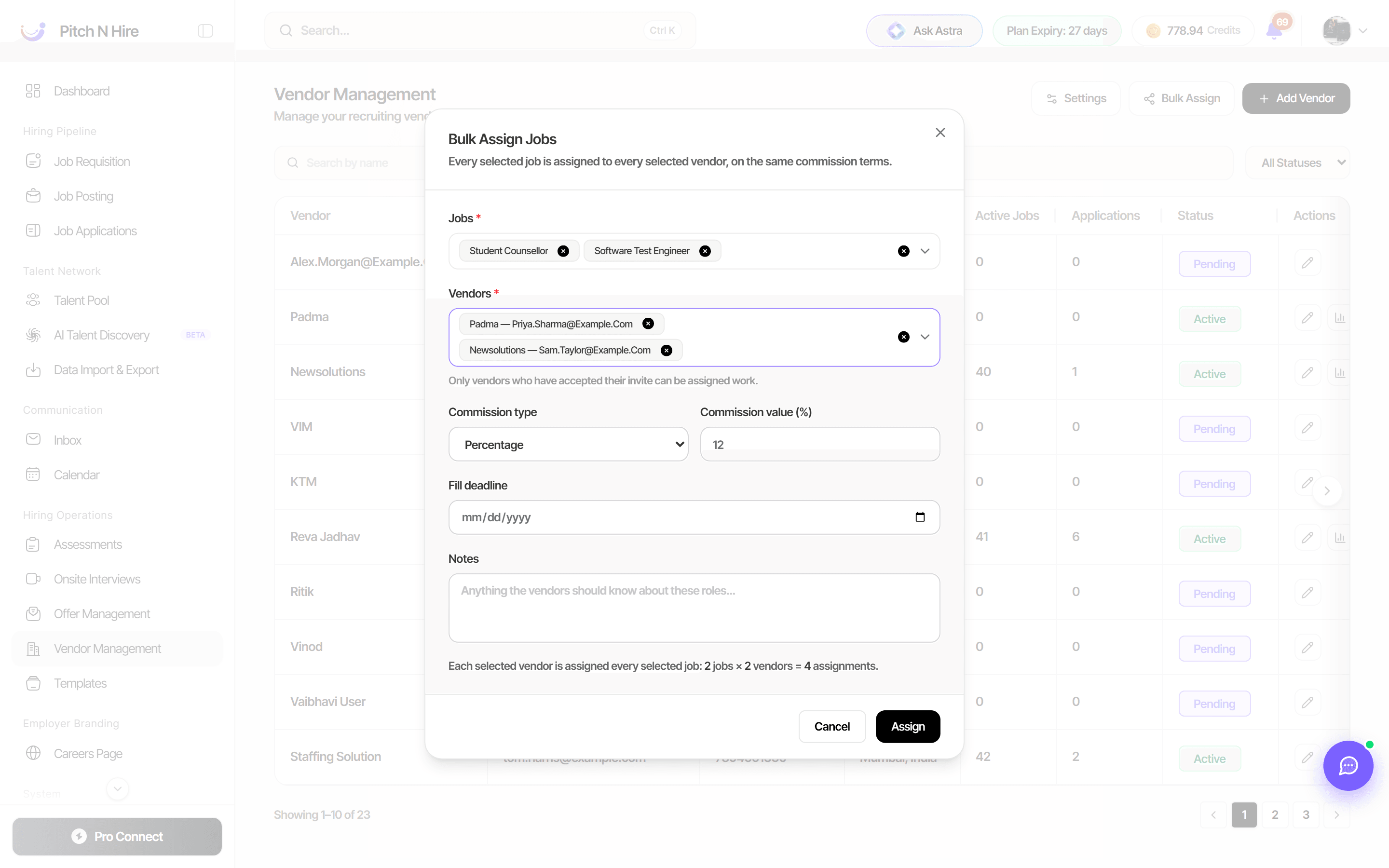
- Bulk Assign — assign several jobs to several vendors at once, with a shared commission, fill deadline and notes, instead of one job at a time.
- ATS clients as vendors — an existing Pitch N Hire client can now be added as a vendor by another client, so two ATS workspaces can collaborate on the same roles.
Read more: Vendor Management
Users & panellists are interchangeable
Within the same organisation, a workspace user can act as a panellist and a panellist can be given a user seat — the same person no longer needs two disconnected accounts. Assign whoever is right for the interview panel, whether they sit in your recruiting team or outside it.
Read more: Panellists and workspace users
GDPR compliance
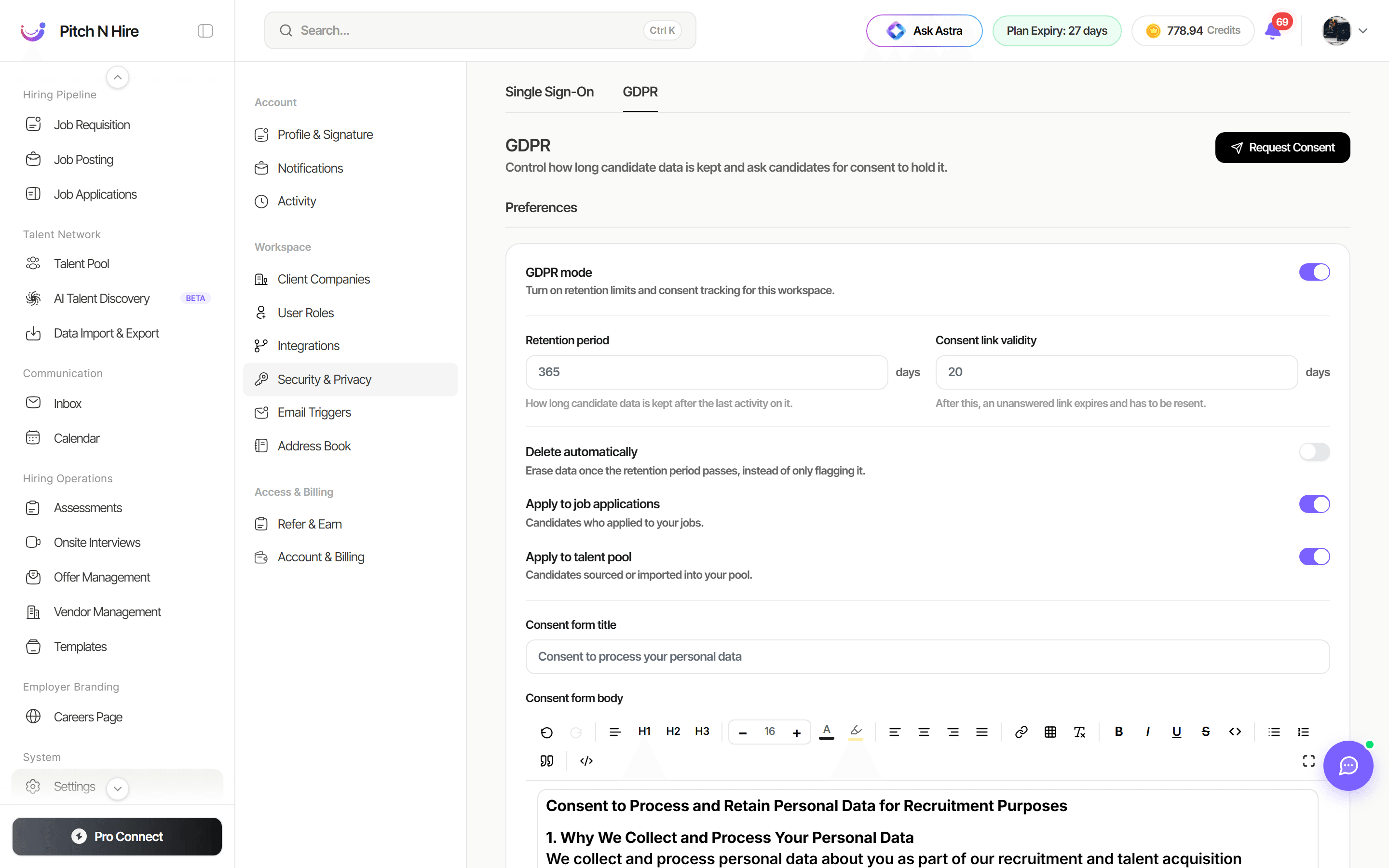
A GDPR section has been added under Settings → Single Sign-On, giving you candidate-privacy controls in the product itself: a retention period, an automatic warning before data is purged, an editable consent form and privacy notice, an outreach disclaimer, and a Consent Requests log showing who was asked for consent and how they replied.
Read more: GDPR & candidate consent
Create jobs with AI
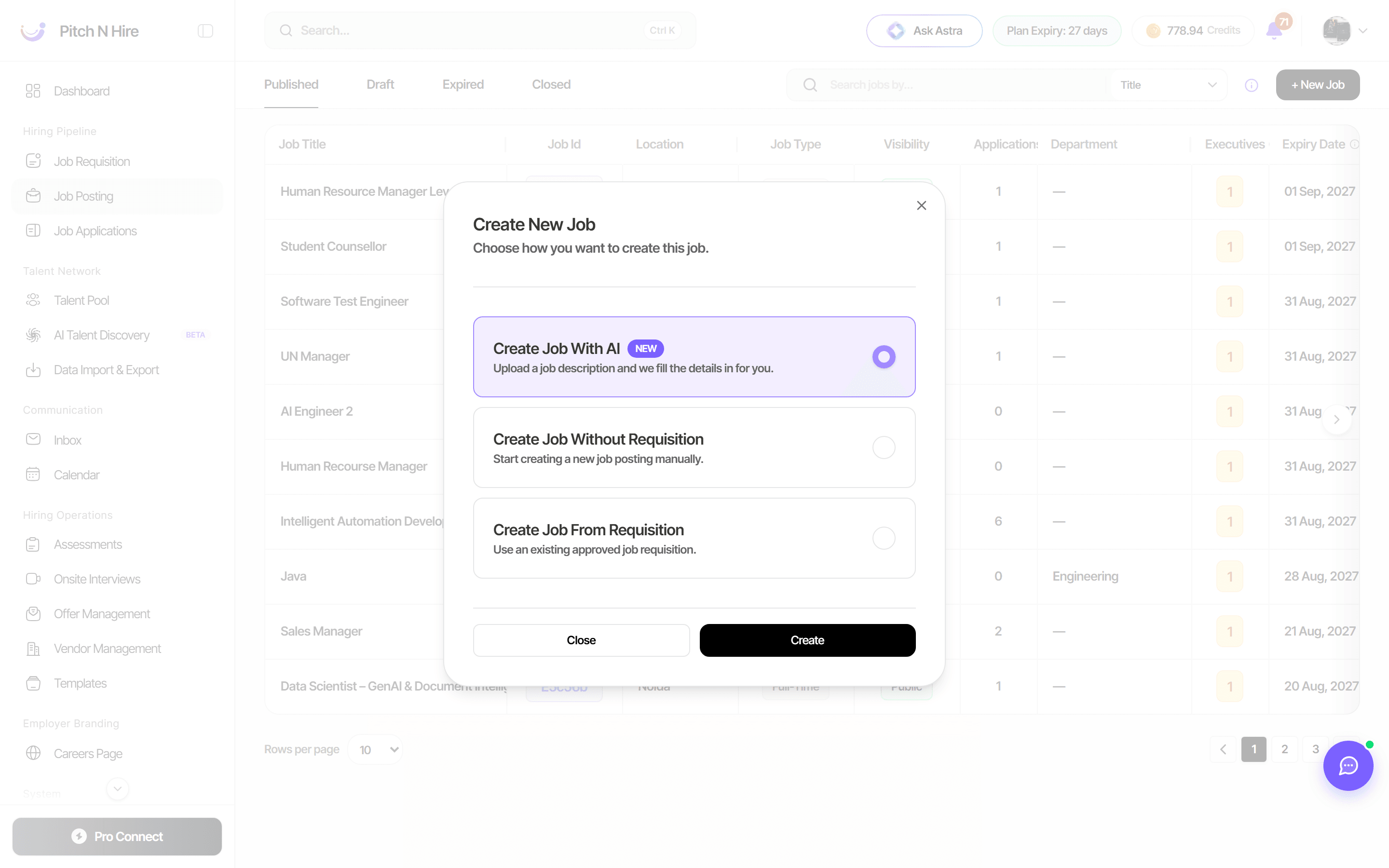
Creating a job now starts with the job description. Choose Create Job With AI, drop in the JD (PDF, DOCX, DOC or TXT — or paste the text), answer a few short clarifying questions, and Pitch N Hire fills the posting in for you.
Every job is then scored by a job quality analysis across content quality, completeness, compliance and SEO, with specific findings and one-click Apply fix suggestions — so your postings read better and reach further.
Read more: Create a job with AI
Bug fixes and performance improvements
Alongside the features above, this release includes a range of bug fixes plus performance and usability improvements across the ATS.