AI Talent Discovery
AI Talent Discovery is a new V2 feature that lets you source candidates by describing the role in plain English instead of building complex boolean searches. You tell the AI who you’re hiring for, and it interprets skills, experience, location, seniority, domain expertise, and hiring intent to surface and rank matching candidates — so you can review match scores, message people, and add them to your pipeline in a few steps.
Overview
The feature opens on a Welcome to AI Candidate Search screen built around a single prompt box. A row of cards above the input previews the workflow the AI runs through — Describe the role, AI ranks by fit, See match scores, Message in a click, and Add to pipeline — and a Start Searching button kicks off your first search.
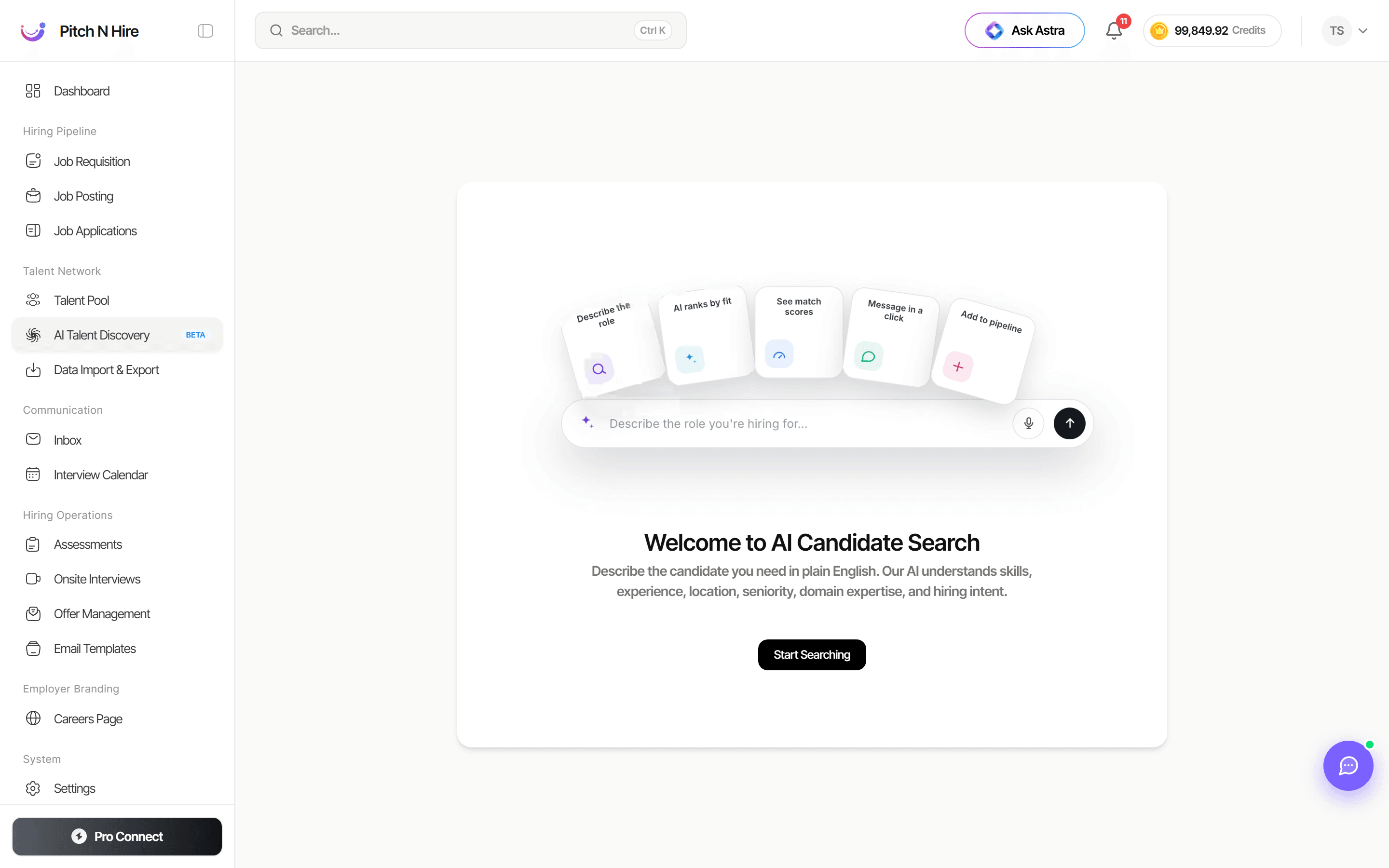
The supporting copy explains the core idea: “Describe the candidate you need in plain English. Our AI understands skills, experience, location, seniority, domain expertise, and hiring intent.”
Key features
- Plain-English prompt box — type the role you’re hiring for in the “Describe the role you’re hiring for…” field. No boolean operators required.
- Voice input — a microphone icon in the prompt box lets you describe the role by speaking.
- Describe the role — the AI parses your natural-language request into structured search criteria.
- AI ranks by fit — candidates are ordered by how closely they match what you described.
- See match scores — each candidate surfaces with a fit/match score so you can prioritise the strongest profiles.
- Message in a click — reach out to promising candidates directly from the results.
- Add to pipeline — move candidates straight into a job’s pipeline once you’ve identified a fit.
- Start Searching — a clear call-to-action button to begin your first AI search.
Step-by-step
- Open Talent Network → AI Talent Discovery from the sidebar.
- On the Welcome to AI Candidate Search screen, click Start Searching (or click directly into the prompt box).
- In the “Describe the role you’re hiring for…” box, type a natural-language description of who you need — include skills, years of experience, location, seniority, and any domain expertise. You can also use the microphone icon to dictate the prompt.
- Submit the prompt to let the AI interpret your criteria and rank candidates by fit.
- Review the returned candidates and their match scores to focus on the best matches.
- Message a candidate in a click to start a conversation, or add the candidate to a job’s pipeline to advance them.