Regional Pricing
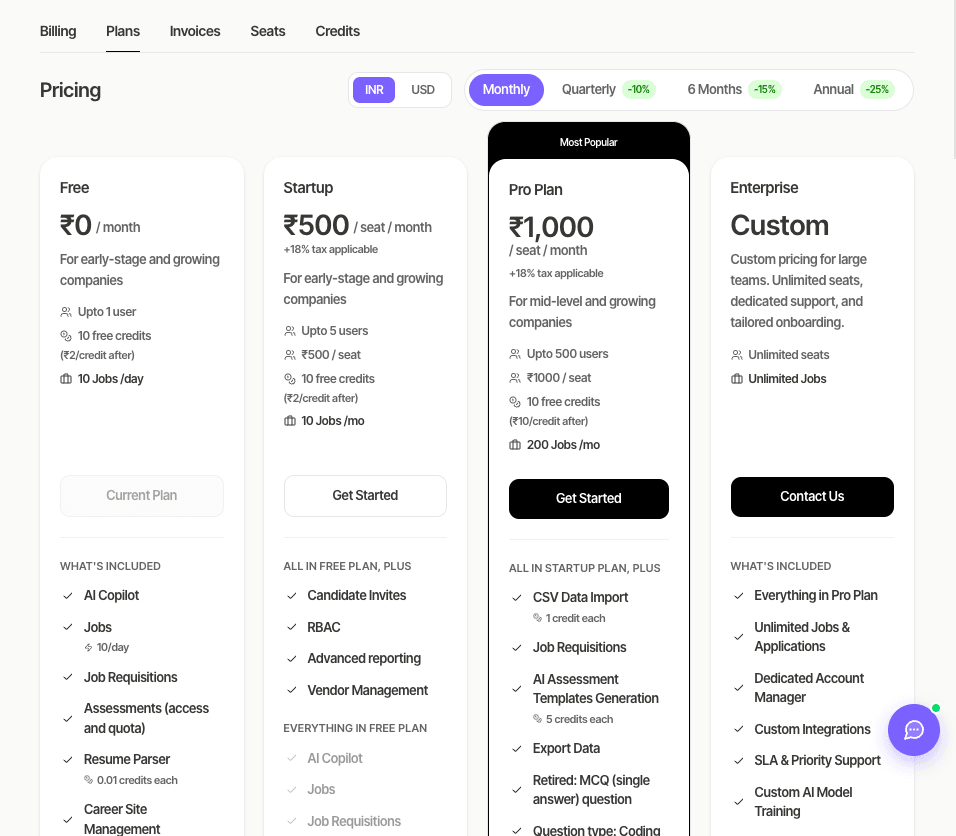
Pitch N Hire bills companies in India in Indian rupees (INR) and everyone else in US dollars (USD). The Plans page opens in your company’s billing currency, so you see the right prices without changing anything.
Overview
Key features
Your currency is picked in this order, using the first rule that applies:
- You already pay for a plan — you stay on the currency you pay in, even if your company’s country changes later.
- Your company’s country — India means INR, any other country means USD (the Country on your company profile or billing information).
- Your current plan’s currency — used if the company has no country yet.
How the country gets filled in: at sign-up it is pre-filled from where you are signing up (check it before creating your account); when the account owner signs in and the company has no country, it is copied from billing information or estimated from the owner’s connection. Team members’ sign-ins never change it, and a country you chose is never replaced. Your IP address stays on Pitch N Hire servers.
Step-by-step
Change your country
- Go to Settings → Company Profile.
- Pick the right Country.
- Click Save.
The Plans page uses the new country next time you open it. If you already pay for a plan, your billing currency stays the same.
Compare prices in the other currency
On Plans, switch the currency toggle. If it isn’t your billing currency you’ll see a note such as Your account is billed in USD. If you try to buy in the other currency, Pitch N Hire switches you to your billing currency and selects the matching plan.
Tips
Common issues & fixes
- Plans shows USD but my company is in India — the profile may have no country or a different one (for example the owner signed in through a VPN). Set Country to India.
- The country appeared on its own — it was empty, so it was filled from billing information or the owner’s sign-in. You can change it any time.
- I changed the country but the currency didn’t change — you already pay in the other currency. Contact support if you need to switch.