Support Chat
Support Chat lets you talk to the Pitch N Hire support team without leaving the app. You can start a chat yourself, and the support team can also start a chat with you; when they do, you get a notification and an unread badge so you don’t miss it. The chat window itself is an AI assistant first.
Overview
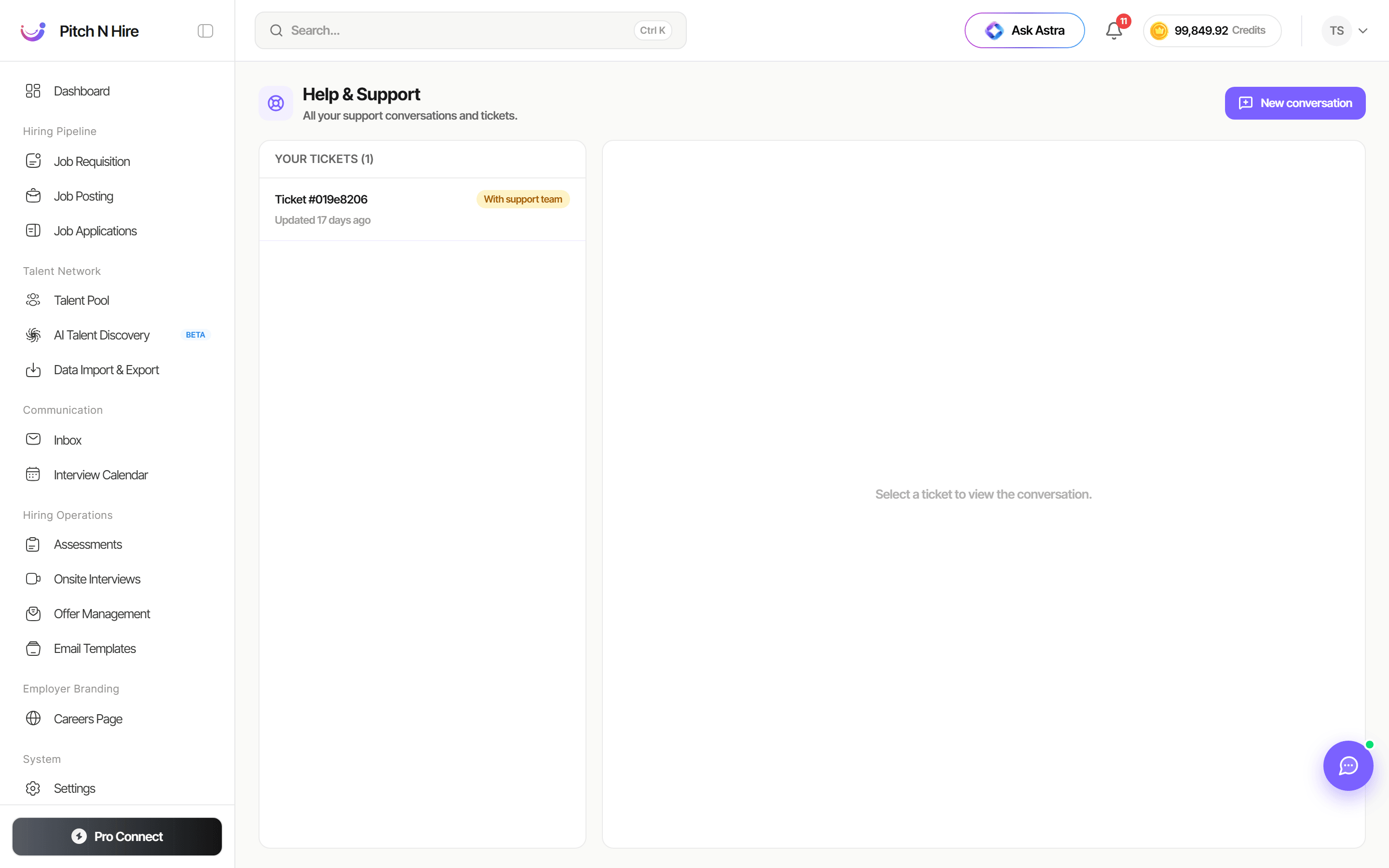
Every conversation is a thread with its own ticket reference and status, listed under Your tickets on the Help & Support page. The chat button opens the same conversations in a small window, so you can reply from any screen.
Key features
- Start a chat yourself from the chat button or New conversation.
- AI assistant first — the chat window starts with an AI assistant that answers from the Pitch N Hire help content and shows the sources it used. You can rate its answers.
- Talk to a human — if the assistant can’t help, click Talk to a human and the chat shows it is connecting you to a person on the support team.
- Chats started by support — when a support agent opens a conversation with you, you get a notification in the bell reading “You got a message from the support team”. Clicking it opens that conversation. The chat button also shows a red unread badge with the number of unread support messages.
- Unread indicator — threads with new support messages are marked until you read them.
- Live updates — replies and status changes appear without refreshing the page.
- Ticket history — all conversations stay in Your tickets with their status.
Step-by-step
- Click the chat button at the bottom right, or open Help & Support and click New conversation.
- Describe your question and send it. The assistant replies first, with sources. If you need a person, click Talk to a human. The thread appears under Your tickets.
- When support replies or starts a chat, open the notification “You got a message from the support team” in the bell, or the chat button with its red unread badge, to read it.
- Reply in the same thread until the issue is resolved.
Tips
Common issues & fixes
- I don’t see the support message — check the notification bell and the red unread badge on the chat button, or open Help & Support and look at Your tickets.
- The notification opens the wrong place — open Help & Support and select the ticket directly.